آموزش گیت - راهنمای داخلی
گیت دارای یک سیستم راهنمای داخلی است که میتوان مستقیماً از طریق خط فرمان به آن دسترسی داشت. این دستورات برای پیدا کردن سریع اطلاعات درباره دستورات و گزینههای خاص گیت مفید هستند.
The `git help` command
دستور git help سادهترین راه برای دسترسی به مستندات دستورات گیت است. این دستور یک نمای کلی از دستورات در دسترس و نحوه استفاده از آنها ارائه میدهد.
$ git helpپیام خروجی به صورت زیر است:
usage: git [-v | --version] [-h | --help] [-C این دستور فهرستی از دستورات رایج گیت را همراه با توضیحات مختصر آنها نمایش میدهد. شما میتوانید از این فهرست برای شناسایی دستوری که به راهنمای آن نیاز دارید استفاده کنید.
List all the Git Commands
دستور زیر تمام دستورات ممکن گیت را، شامل دستورات رایج و کمتر رایج، فهرست میکند و برای هر دستور توضیح مختصری ارائه میدهد.
$ git help -a
$ git help --all
پیام خروجی به صورت زیر است:
See 'git help ' to read about a specific subcommand

Main Porcelain Commands
    add                     Add file contents to the index
    am                      Apply a series of patches from a mailbox
    archive                 Create an archive of files from a named tree
    bisect                  Use binary search to find the commit that introduced a bug
    branch                  List, create, or delete branches
    bundle                  Move objects and refs by archive
    checkout                Switch branches or restore working tree files
    cherry-pick             Apply the changes introduced by some existing commits
    citool                  Graphical alternative to git-commit
    clean                   Remove untracked files from the working tree
    clone                   Clone a repository into a new directory
    commit                  Record changes to the repository
    describe                Give an object a human readable name based on an available ref
    diff                    Show changes between commits, commit and working tree, etc
    fetch                   Download objects and refs from another repository
    format-patch            Prepare patches for e-mail submission
    gc                      Cleanup unnecessary files and optimize the local repository
    gitk                    The Git repository browser
    grep                    Print lines matching a pattern
    gui                     A portable graphical interface to Git
    init                    Create an empty Git repository or reinitialize an existing one
    log                     Show commit logs
    maintenance             Run tasks to optimize Git repository data
    merge                   Join two or more development histories together
    mv                      Move or rename a file, a directory, or a symlink
    notes                   Add or inspect object notes
    pull                    Fetch from and integrate with another repository or a local branch
    push                    Update remote refs along with associated objects
    range-diff              Compare two commit ranges (e.g. two versions of a branch)
    rebase                  Reapply commits on top of another base tip
    reset                   Reset current HEAD to the specified state
    restore                 Restore working tree files
    revert                  Revert some existing commits
    rm                      Remove files from the working tree and from the index
    scalar                  A tool for managing large Git repositories
    shortlog                Summarize 'git log' output
    show                    Show various types of objects
:
Getting Help for a Specific Command
برای دریافت راهنما برای یک دستور خاص گیت، میتوانید از دستور "git help" به همراه نام دستور استفاده کنید. این دستور صفحه راهنما (manpage) را در مرورگر نمایش میدهد.
سه روش معادل برای دریافت صفحه راهنمای جامع دستور گیت وجود دارد:
برای دسترسی به راهنمای صفحه منوال برای دستور git commit، میتوانید از هر یک از روشهای زیر استفاده کنید:
Using the `git help <command>`
برای دریافت راهنمای دقیق درباره یک دستور خاص گیت، از نحو زیر استفاده کنید:
$ git help <command>برای مثال، برای دریافت راهنما درباره دستور commit، دستور زیر را اجرا کنید:
$ git help commitUsing the `man git-<command>`
میتوانید از دستور man به همراه git-<command> برای مشاهده صفحه راهنما برای یک دستور خاص گیت استفاده کنید.
$ man git-commitUsing the git <command> --help
میتوانید از --help همراه با هر git <command> استفاده کنید تا راهنمای مخصوص همان دستور را بگیرید.
$ git commit --helpوقتی دستور بالا را اجرا کنید، مرورگر صفحه راهنمای نمایشدادهشده در زیر را باز میکند.
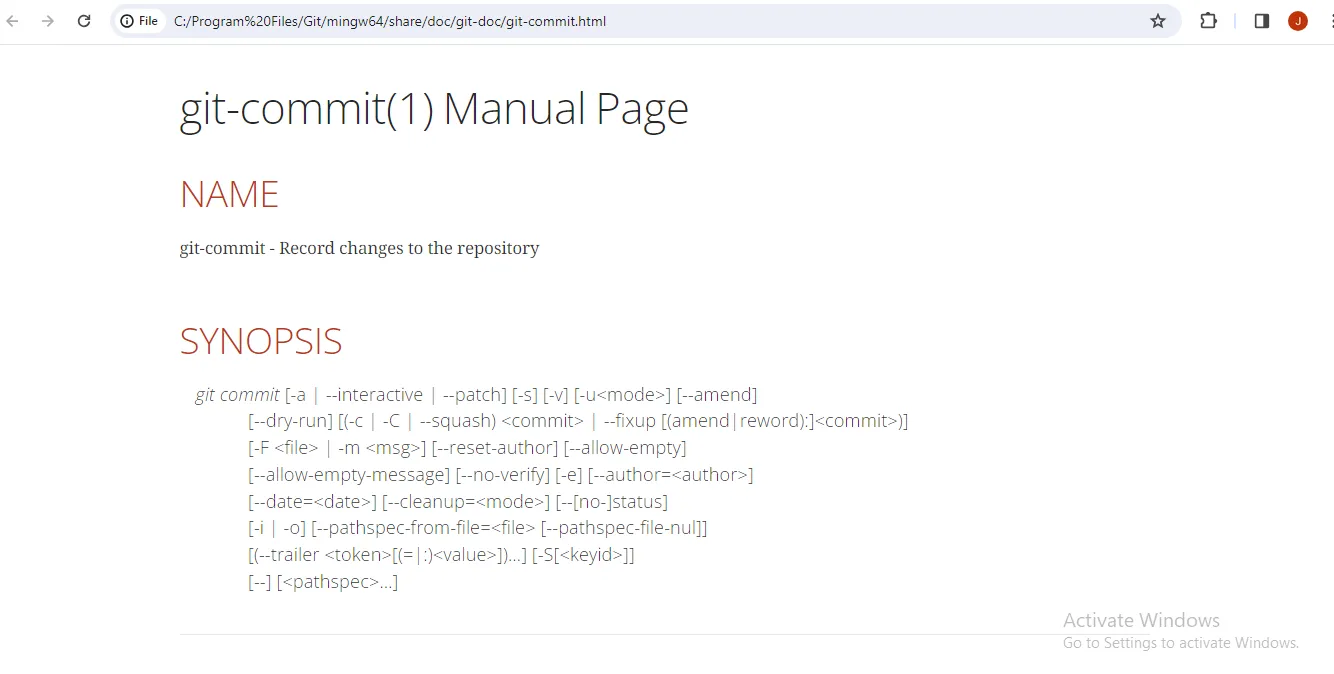
برای گرفتن یک نمای کلی کوتاه از گزینههای یک دستور گیت، از git <command> -h (یا git help <command> -h) استفاده کنید. این کار یک مرور مختصر از گزینههای دستور و نحوه استفاده از آنها میدهد بدون اینکه عمیقاً وارد جزئیات صفحه راهنما شود.
$ git commit -husage: git commit [-a | --interactive | --patch] [-s] [-v] [-u] [--amend]
[--dry-run] [(-c | -C | --squash) | --fixup [(amend|reword):])]
[-F | -m ] [--reset-author] [--allow-empty]
[--allow-empty-message] [--no-verify] [-e] [--author=]
[--date=] [--cleanup=] [--[no-]status]
[-i | -o] [--pathspec-from-file= [--pathspec-file-nul]]
[(--trailer [(=|:)])...] [-S[]]
[--] [...]
-q, --[no-]quiet suppress summary after successful commit
-v, --[no-]verbose show diff in commit message template
Commit message options
-F, --[no-]file
read message from file
--[no-]author
override author for commit
--[no-]date override date for commit
-m, --[no-]message
commit message
-c, --[no-]reedit-message
reuse and edit message from specified commit
-C, --[no-]reuse-message
reuse message from specified commit
--[no-]fixup [(amend|reword):]commit
use autosquash formatted message to fixup or amend/reword specified commit
--[no-]squash
use autosquash formatted message to squash specified commit
--[no-]reset-author the commit is authored by me now (used with -C/-c/--amend)
--trailer add custom trailer(s)
-s, --[no-]signoff add a Signed-off-by trailer
-t, --[no-]template
use specified template file
-e, --[no-]edit force edit of commit
--[no-]cleanup how to strip spaces and #comments from message
--[no-]status include status in commit message template
-S, --[no-]gpg-sign[=]
GPG sign commit
Commit contents options
-a, --[no-]all commit all changed files
-i, --[no-]include add specified files to index for commit
--[no-]interactive interactively add files
-p, --[no-]patch interactively add changes
-o, --[no-]only commit only specified files
-n, --no-verify bypass pre-commit and commit-msg hooks
--verify opposite of --no-verify
--[no-]dry-run show what would be committed
--[no-]short show status concisely
--[no-]branch show branch information
--[no-]ahead-behind compute full ahead/behind values
--[no-]porcelain machine-readable output
--[no-]long show status in long format (default)
-z, --[no-]null terminate entries with NUL
--[no-]amend amend previous commit
--no-post-rewrite bypass post-rewrite hook
--post-rewrite opposite of --no-post-rewrite
-u, --[no-]untracked-files[=]
show untracked files, optional modes: all, normal, no. (Default: all)
--[no-]pathspec-from-file
read pathspec from file
--[no-]pathspec-file-nul
with --pathspec-from-file, pathspec elements are separated with NUL character To get the Git guide from Git bash
میتوانید با استفاده از دستور زیر به راهنمای گیت از طریق Git Bash دسترسی پیدا کنید. Git Bash مفاهیم مختلفی را نمایش میدهد که به شما کمک میکنند با گیت شروع کنید.
$ git help -gپیام خروجی به صورت زیر است:
The Git concept guides are:
core-tutorial    A Git core tutorial for developers
credentials      Providing usernames and passwords to Git
cvs-migration    Git for CVS users
diffcore         Tweaking diff output
everyday         A useful minimum set of commands for Everyday Git
faq              Frequently asked questions about using Git
glossary         A Git Glossary
namespaces       Git namespaces
remote-helpers   Helper programs to interact with remote repositories
submodules       Mounting one repository inside another
tutorial         A tutorial introduction to Git
tutorial-2       A tutorial introduction to Git: part two
workflows        An overview of recommended workflows with Git

'git help -a' and 'git help -g' list available subcommands and some
concept guides. See 'git help ' or 'git help '
to read about a specific subcommand or concept.
See 'git help git' for an overview of the system. میتوانید از دستور git help به همراه نام راهنما استفاده کنید تا از طریق Git Bash به هر راهنمای خاصی دسترسی داشته باشید.
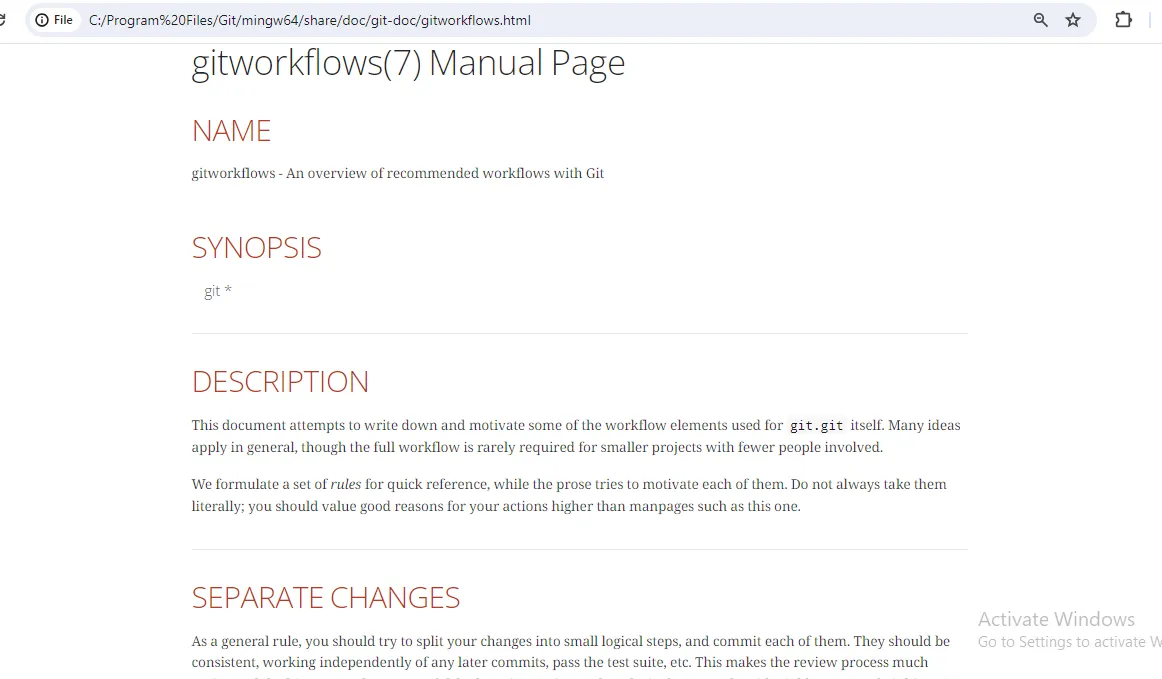
برای دسترسی به صفحه راهنمای جامع برای دستور git workflows، میتوانید از دستور زیر استفاده کنید:
$ git help workflowsوقتی دستور بالا را اجرا کنید، مرورگر صفحه راهنمای نمایشدادهشده در زیر را باز میکند.
پیشرفت مطالعه: وضعیت خواندهشدن این درس فقط در همین مرورگر ذخیره میشود؛ بدون نیاز به حساب کاربری.